


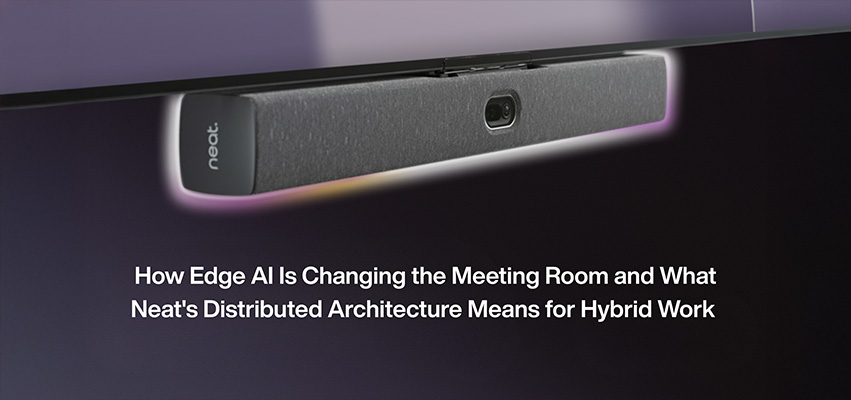
How Edge AI Is Changing the Meeting Room — and What Neat’s Distributed Architecture Means for Hybrid Work
A look at where collaboration technology is heading, and why intelligence at the device level — not just in the cloud — is reshaping how meeting spaces work.
AI in the meeting room is no longer a roadmap conversation. It is a deployment conversation. The shift that matters most in 2026 is not which platform adds another feature — it is where the intelligence actually lives. The video conferencing devices that perform best in real rooms are the ones running AI at the edge, on the device itself, in real time. Neat, one of GAV MGMT’s video collaboration partners, is one of the clearest examples of that approach in practice.
This article explains what edge AI means for meeting room design, what Neat’s distributed architecture actually does differently, and what to consider when planning hybrid collaboration spaces where the technology needs to keep up with the way people actually meet.
Why Are Meeting Rooms Becoming Intelligent Spaces?
The traditional meeting room was a static environment. A camera pointed at a table, a microphone in the ceiling, a display on the wall. Remote participants got a wide shot of the room and had to figure out the rest. That setup worked when most attendees were physically present and remote participation was the exception.
Hybrid work changed the math. In a typical meeting today, some participants are in the room, some are remote, and the experience needs to feel equitable for everyone. That requires the room itself to do work the camera operator used to do — frame the speaker, suppress background noise, follow the conversation as it moves, and adjust as people stand up, walk to a whiteboard, or shift the discussion to a different part of the table.
Doing that well requires AI. But it requires AI in a specific place: on the device, in the room, processing in real time. Cloud AI is too slow for the kind of frame-by-frame decisions a camera needs to make. Edge AI — intelligence running locally on the hardware — is what makes a room feel responsive instead of laggy.
What Is Edge AI in the Context of Video Collaboration?
Edge AI refers to artificial intelligence that runs on the device generating the data, rather than in a remote cloud server. For a video conferencing system, that means the camera, microphones, and processing live in the room and make decisions locally — framing shots, tracking voices, reducing noise — without sending data to the cloud first and waiting for a response.
Two things make this matter for meeting rooms. First, latency. A camera that has to wait on the cloud to decide where to point will always be behind the action. Edge AI reacts in milliseconds, which is the difference between a room that feels alive and one that feels delayed. Second, privacy. Edge processing means the room’s audio and video can be analyzed without that content leaving the device — which is meaningful for financial services, healthcare, legal, and any environment with sensitive conversations.
What Is Neat’s Distributed Architecture?
Neat’s approach is to place AI, sensors, and compute throughout the meeting space — not just in one central device — and unify everything over the network. Their own description of this is that the system acts like an always-on AI operator for the room: sensing where conversations are happening, understanding how people are moving, and adjusting the experience in real time without manual controls or preset shots.
In practice, that means a room running Neat hardware can adapt as the meeting unfolds. If someone stands up and walks to a whiteboard, the framing follows. If the discussion shifts from one end of the table to the other, the camera and audio adjust. If a remote participant needs a closer view of who is speaking, the system delivers it without anyone in the room touching a controller.
The distributed part is what makes it work at scale. A single device with a single camera can only do so much. Spreading intelligence across multiple devices — cameras, microphones, processing — and coordinating them over the network is what lets a Neat system handle the complexity of a real room with real people moving in unpredictable ways.
Neat frames the approach around three principles: simple by nature, intelligent by design, open by choice. The idea is that the technology should be straightforward to deploy and use, smart enough to adapt without configuration, and platform-agnostic — running native on Zoom, Microsoft Teams, and Google Meet rather than locking the room into one ecosystem.
Which Neat Devices Are Used in Most Meeting Spaces?
Neat’s product line covers the range of room types you find in a typical enterprise floor plan.
- Neat Bar and Neat Bar Gen 2 are all-in-one video bars with a built-in camera, microphone array, and speakers, designed for small and medium meeting rooms. The Gen 2 unit uses a 50-megapixel wide-angle camera with a 113-degree field of view and a five-microphone beamforming array.
- Neat Board and Neat Board Pro are interactive displays that combine video conferencing with digital whiteboarding. The Board Pro is a 65-inch 4K touch display with the same camera and audio specs as the Bar, used in rooms where the team is brainstorming or presenting as much as meeting.
- Neat Frame is a portrait-oriented personal device for executive offices, focus rooms, or any space where one person is on video.
- Neat Pad is a touchscreen scheduling controller mounted outside meeting rooms, used for booking and check-in.
- Neat Center is a companion device with a 360-degree camera that pairs with a primary device to give remote attendees a full view of everyone in the room, regardless of where they are sitting.
- Neat Pulse is the management layer — a cloud platform that lets IT teams deploy, monitor, and manage Neat devices across the entire portfolio of meeting spaces.
Together, these devices give an organization a consistent video collaboration experience whether the meeting is happening in a phone booth, a six-person huddle room, a boardroom, or a townhall space.
What Does This Mean for Planning a Hybrid Workplace?
If your organization is standardizing meeting spaces across multiple floors or sites, the underlying architecture matters more than the feature list on any single device. The questions worth asking during the design phase are:
Where does the intelligence live? Edge-based systems will outperform cloud-dependent systems in any room where latency or privacy matters. For executive rooms, financial services, and healthcare environments, this is a procurement criterion, not a nice-to-have.
Is the platform locked in? A meeting room standardized on a single conferencing platform today will likely need to support multiple platforms within a few years, as teams use different tools for different purposes. Hardware that is native to Zoom, Microsoft Teams, and Google Meet — rather than tied to just one — protects that flexibility.
Can IT actually manage it at scale? A great room experience that requires manual configuration in every space is not a scalable strategy. The management layer (in Neat’s case, Neat Pulse) is often the difference between a system that works on day one and a system that still works in year three.
Does the room experience match the brand experience? Boardrooms, executive briefing centers, and customer-facing spaces have a different bar to clear than back-of-house huddle rooms. The hardware should reflect that — both in how it performs and how it looks in the room.
How Does GAV MGMT Approach Hybrid Collaboration Design?
GAV MGMT is a Canadian design-build AV integrator that designs, deploys, and supports video collaboration environments for enterprise clients across financial services, corporate, healthcare, education, and public sector environments. Neat is one of our partners for video collaboration hardware, alongside Crestron, Shure, and other enterprise-grade vendors.
Our design-build model means we take responsibility for the full lifecycle of the collaboration environment — from initial consultation and engineering through procurement, installation, commissioning, training, and ongoing managed services. For multi-site rollouts, that consistency matters: every room delivers the same experience, every IT team gets the same tools, and every employee can walk into any space across the portfolio and have it work the same way.
Frequently Asked Questions
What is edge AI?
Edge AI is artificial intelligence that runs on a local device — like a camera, sensor, or video bar — rather than in a centralized cloud server. It processes data at the point it is generated, which reduces latency and keeps the data local for privacy.
Why does edge AI matter for video conferencing?
Video conferencing requires real-time decisions about framing, audio, and speaker tracking. Cloud-based AI adds latency that makes the room feel laggy. Edge AI processes those decisions in milliseconds on the device itself, which is what makes intelligent framing and speaker tracking feel natural rather than delayed.
What is Neat’s distributed architecture?
Neat’s distributed architecture places AI, sensors, and compute across multiple devices in a meeting space — cameras, microphones, processing units — and coordinates them over the network. This lets the room adapt to people, movement, and conversation in real time without relying on a single central device.
Does Neat work with Microsoft Teams, Zoom, and Google Meet?
Yes. Neat devices run native on Zoom, Microsoft Teams, and Google Meet. They also support BYOD (bring your own device) connections, where a user plugs their own laptop into the room and runs a meeting on any conferencing platform through the room’s camera, microphones, and speakers.
What is the difference between Neat Bar and Neat Board?
Neat Bar is an all-in-one video bar with camera, microphones, and speakers, designed to be mounted near a display. Neat Board is an interactive touch display that combines video conferencing with digital whiteboarding in a single device. The Bar is typically used when the room already has a display; the Board is used when the team needs touch-based collaboration alongside video meetings.
Can Neat devices be managed centrally across multiple sites?
Yes. Neat Pulse is Neat’s cloud-based management platform, which allows IT teams to deploy, monitor, and manage Neat devices across multiple rooms and locations from a single interface.
Is Neat available in Canada?
Yes. GAV MGMT specifies and integrates Neat devices for Canadian enterprise clients across video collaboration, hybrid meeting, and townhall environments, with national reach across Canada and the U.S.
Planning a Hybrid Collaboration Rollout?
Whether you are standardizing meeting rooms across a national portfolio or upgrading a single executive floor, GAV MGMT designs and delivers video collaboration environments built around how people actually meet — not around a feature list. Request a consultation to discuss your project, or explore our Neat partner page and hybrid collaboration solutions page for more on our approach.
Written by Gianfranco, Digital Marketing Manager at GAV MGMT