


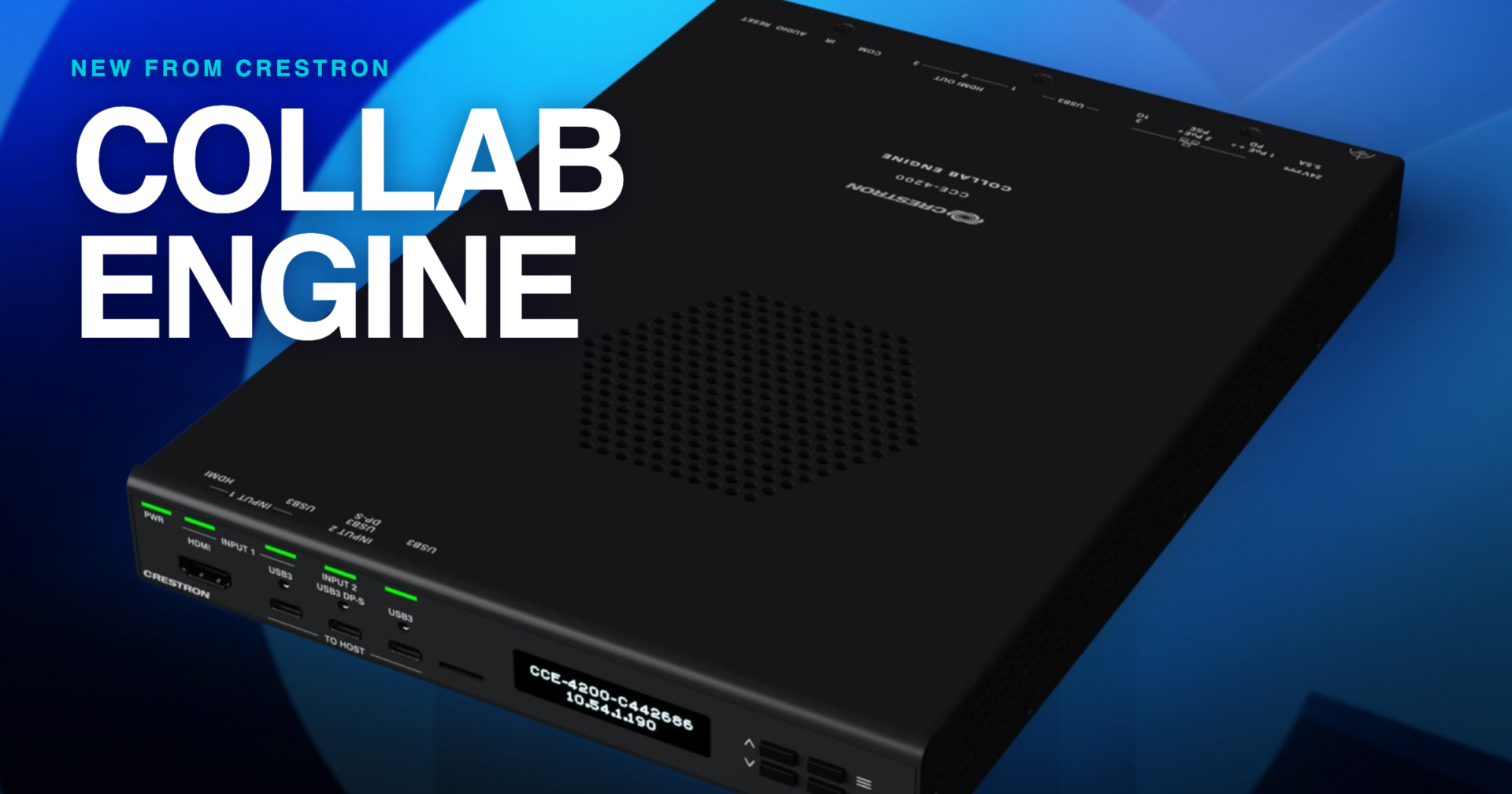
The Crestron Collab Engine is a unified collaboration platform that puts content sharing, Microsoft Teams® Rooms or BYOD conferencing, and Crestron control into a single room box.
For organizations that want every meeting space to look, work, and be managed the same way, it gives IT one standard design that adapts to each room. Collab Engine is certified for Microsoft Teams Rooms and is available in Q1 2027.
As a national design-build AV integrator, we spend a lot of time helping clients standardize rooms across floors, campuses, and cities. Below, we break down what Collab Engine is, which spaces it fits, which features matter most in real deployments, and how to choose between the two models.
What is the Crestron Collab Engine?
Collab Engine is Crestron’s all-in-one collaboration device, offered as the CCE-4200 and CCE-4100. One box delivers three things that usually live in separate pieces of equipment:
- Content: AirMedia® wireless presentation from Windows, Mac, iOS, and Android devices, plus DM NVX® AV-over-IP distribution on the CCE-4200.
- Collaboration: native Microsoft Teams Rooms on Android™ with one-touch join, or BYOD conferencing on any platform.
- Control: a full 4-Series® Control System, with out-of-the-box automation or fully custom programming.
It is built on the Microsoft Device Ecosystem Platform (MDEP) for enterprise security and familiar IT management, and it is managed through the XiO Cloud® technology operations management platform.
How does Collab Engine help organizations standardize their meeting spaces?
Collab Engine lets IT design the room once and then configure each space for how it is used. Every room runs on the same hardware. What changes from room to room is a software setting, not the equipment list.
Each Collab Engine runs in one of two modes:
- Microsoft Teams Rooms mode for dedicated conferencing spaces with scheduled meetings and one-touch join.
- AirMedia technology mode for flexible presentation and BYOD conferencing on whichever platform the presenter prefers.
AirMedia presentation is available in both modes, so guests can always share content. For our clients, that means one approved bill of materials, one installation standard, one support process, and one set of training materials for end users, applied across every room type in the portfolio.
Which rooms is Collab Engine built for?
Collab Engine fits most small to mid-size collaboration spaces, and the CCE-4200 extends content beyond the room for larger or connected spaces. Here is how we map it to the rooms we design most often.
BYOD meeting rooms and huddle spaces
Set the room to AirMedia mode. Presenters share wirelessly from Windows, Mac, iOS, or Android devices and launch meetings from their preferred conferencing platform, with no dedicated conferencing system required. This is a strong fit for organizations that work with clients and partners on several different platforms.
Conference and boardrooms
Set the room to Microsoft Teams Rooms mode for a native Teams experience. Scheduled meetings start with one touch, familiar Teams workflows carry over from the desktop, and automated room controls handle displays and devices. Remote and in-room participants get an equal seat at the table.
Training rooms and classrooms
Instructors, trainers, and guest presenters can share content wirelessly or through the front HDMI® and USB-C® inputs, and display it across multiple screens throughout the room. With up to three HDMI outputs, one device can drive a front display plus confidence or side displays.
Connected and multi-room spaces
On the CCE-4200, integrated DM NVX AV-over-IP (TX or RX) distributes video, audio, and USB across the network. That lets content travel from the room to overflow spaces, divisible rooms, or other areas of the building over standard network infrastructure.
Which industries benefit most from Collab Engine?
Any organization standardizing a large number of rooms is a fit. Across the verticals we serve, these are the use cases where Collab Engine lines up well:
- Corporate and professional services: Teams-standardized offices that also host external clients who bring their own platforms and devices.
- Higher education: classrooms, seminar rooms, and active learning spaces that need simple wireless sharing for faculty and students, plus multi-display output.
- Government and public sector: meeting and council spaces where IT needs a secure, centrally managed platform it can roll out consistently across many sites.
- Healthcare: administrative meeting rooms, education rooms, and huddle spaces where staff need to start a meeting or share content quickly.
Which Collab Engine features matter most in real deployments?
From an integrator’s perspective, four capabilities stand out because they line up with what clients ask for most during design.
- Two operating modes on one device. Clients want a single standard that still respects the difference between a boardroom and a project room. Mode selection per room gives them both.
- BYOD in both modes. AirMedia presentation and BYOD conferencing remain available in Teams Rooms mode, so visitors are never left without a way to share.
- USB and IP peripheral integration. Cameras, microphones, and speakers connect over USB or IP, which keeps the room design flexible as the room size changes.
- Control without a separate processor. The built-in 4-Series Control System supports out-of-the-box automation for standard rooms and full custom programming for rooms with lighting, shades, or more complex workflows.
Collab Engine features at a glance
| Category | Features |
| Content | AirMedia BYOD presentation across Windows, Mac, iOS, and Android; DM NVX AV-over-IP video, audio, and USB distribution (CCE-4200); HDMI and USB-C local inputs; multi-display output |
| Collaboration | Native Microsoft Teams Rooms mode or AirMedia technology mode; AirMedia available within Teams Rooms mode; BYOD conferencing on all major platforms; USB and IP peripherals |
| Control | 4-Series Control System with full custom programming; built on Microsoft Device Ecosystem Platform (MDEP); out-of-the-box automation; XiO Cloud management |
Why does Collab Engine’s small footprint matter?
Collab Engine is a room box that fits behind a display, under a tabletop, at a podium, or in a rack. Crestron describes it this way:
“If you think of an equipment rack that houses network switches, amps, or other gear, those are 19 inches wide. This is half that; half an RU.”
A half-rack-unit device gives designers more mounting options and keeps equipment out of sight in rooms with no closet or credenza. Fewer separate boxes also means fewer power supplies, cables, and points of failure, and an optional tool-less bracket simplifies mounting and installation.
How does Collab Engine scale from one room to hundreds?
Collab Engine scales because every room shares the same hardware, security framework, and management platform. Three pieces make a large rollout manageable:
- XiO Cloud: IT can monitor, update, and manage every Collab Engine from one place.
- MDEP: the Microsoft Device Ecosystem Platform foundation fits into enterprise security and IT management frameworks clients already use.
- One device, two modes: spares, documentation, and installer training apply to every room, and a room can be reconfigured if its use changes.
For multi-site clients, that consistency is what keeps the hundredth room as predictable as the first.
Collab Engine vs. Collab Compute: which fits your room?
Crestron offers both, and the right choice depends on the room’s conferencing platform and how much is needed in a single device. Crestron Collab Compute is a Windows-based compute platform available for Microsoft Teams Rooms or Zoom Rooms™ software. Collab Engine combines Teams Rooms on Android, AirMedia, control, and (on the CCE-4200) AV-over-IP in one box.
| If the room needs… | Consider | Why |
| Content, conferencing, and control in a single device | Collab Engine | One box replaces separate presentation, conferencing, and control hardware |
| Flexibility to run as a Teams room or a BYOD room on the same hardware | Collab Engine | Mode is a per-room software setting |
| Microsoft Teams Rooms on Windows or Zoom Rooms | Collab Compute | Windows-based compute for those room platforms |
Many portfolios will use both. We help clients map each room type to the platform that matches how that room is used.
CCE-4200 vs. CCE-4100: which Collab Engine model do you need?
Choose the CCE-4200 when content needs to travel beyond the room or the room needs more local inputs. Choose the CCE-4100 for spaces focused on straightforward in-room sharing, conferencing, and control.
| Feature | CCE-4200 | CCE-4100 |
| AirMedia technology | Yes | Yes |
| Microsoft Teams Rooms on Android | Yes | Yes |
| 4-Series control processor | Yes | Yes |
| DM NVX AV-over-IP (TX or RX) | Yes | No |
| Rear HDMI outputs | 3 (AirMedia mode), 2 (Teams Rooms mode) | 3 (AirMedia mode), 2 (Teams Rooms mode) |
| Front HDMI input | Yes | No |
| Front USB-C input | Yes | Yes |
| Front-panel LCD display | Yes | No |
Full specifications: CCE-4200 | CCE-4100
Why GAV MGMT recommends Collab Engine
We design across a multi-vendor portfolio, so our recommendation always starts with the room and how people use it. Collab Engine earns a place in our designs when a client wants:
- One standard device across many room types, configured per room instead of redesigned per room.
- Native Microsoft Teams Rooms where it matters, with BYOD flexibility everywhere.
- Real control capability built in, from simple automation to fully custom programming.
- Centralized, cloud-based management through XiO Cloud, on an MDEP security foundation IT already understands.
Our role is to design, install, program, and support that standard so every room is ready when people walk in.
Frequently asked questions about Crestron Collab Engine
What is Crestron Collab Engine?
Crestron Collab Engine (CCE-4100 and CCE-4200) is a unified collaboration device that combines AirMedia wireless presentation, Microsoft Teams Rooms or BYOD conferencing, and a 4-Series Control System in one room box. The CCE-4200 adds DM NVX AV-over-IP.
When is Collab Engine available?
Collab Engine is available in Q1 2027.
What is the difference between Microsoft Teams Rooms mode and AirMedia technology mode?
Teams Rooms mode makes the room a native Microsoft Teams space with one-touch join. AirMedia mode makes it a flexible BYOD space for presentation and conferencing on any platform. Both run on the same hardware; the mode is a software configuration. AirMedia presentation and BYOD conferencing are also available in Teams Rooms mode.
Is Collab Engine certified for Microsoft Teams Rooms?
Yes. Collab Engine is certified for Microsoft Teams Rooms and runs Teams Rooms on Android.
Is Collab Engine secure and enterprise-ready?
Yes. It is built on the Microsoft Device Ecosystem Platform (MDEP) for enterprise security and familiar IT management, and it is managed centrally through Crestron XiO Cloud.
How many displays can Collab Engine support?
Both models have three rear HDMI outputs: all three are available in AirMedia mode and two are available in Teams Rooms mode.
Where can Collab Engine be mounted?
Collab Engine is a half-rack-unit room box that can mount behind a display, under a table, at a podium, or in an equipment rack. An optional tool-less bracket simplifies installation.
What is the difference between the CCE-4200 and CCE-4100?
The CCE-4200 adds DM NVX AV-over-IP, a front HDMI input, and a front-panel LCD display. The CCE-4100 delivers the same foundation for spaces focused on in-room sharing, conferencing, and control.
Plan your Collab Engine rollout with GAV MGMT
Whether you are standardizing a single floor or rooms across the country, our team can scope the right Collab Engine model for each space, build a demo, and put together a proposal. Talk to a specialist and we will be in touch within one business day.
Written by Gianfranco, Digital Marketing Manager at GAV MGMT