


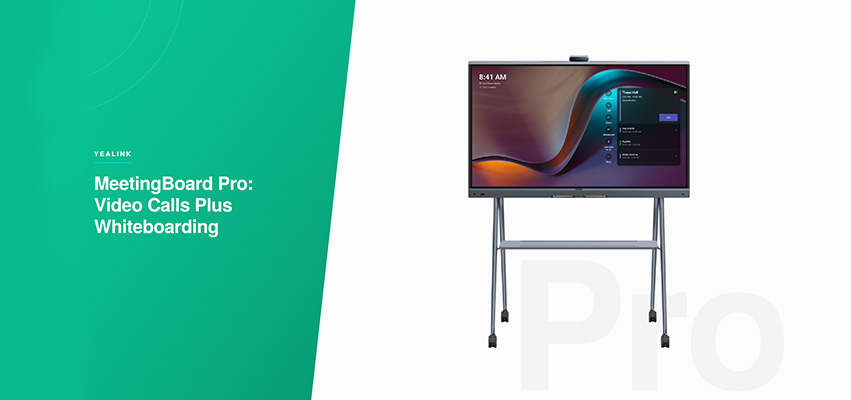
Le Yealink MeetingBoard Pro est un tableau blanc interactif tout-en-un avec vidéoconférence intégrée, offert en formats de 65, 75 et 86 pouces. Il est conçu pour les réunions qui combinent un appel vidéo et l’utilisation d’un tableau blanc en direct.
Certaines réunions sont des appels vidéo. D’autres sont des séances de travail axées sur un tableau blanc. Les séances d’idéation, les revues de produits et les réunions de planification sont souvent les deux à la fois : une équipe à distance doit pouvoir voir l’appel et suivre en temps réel le travail effectué sur le tableau. Les sections ci-dessous présentent les cas d’utilisation, les caractéristiques du tableau blanc et des caméras, ainsi qu’une comparaison avec une configuration vidéo standard avec barre vidéo.
Faits saillants
| Spécification | Détails |
| Formats | 65″, 75″ et 86″ |
| Taille de salle | Des espaces de réunion informels aux salles de conseil complètes |
| Caméra | Système à trois caméras de 50 Mpx |
| Audio | Captation duplex intégral jusqu’à 12 mètres, avec réduction du bruit |
| Tableau blanc | Écriture à deux personnes, stylet à 4 niveaux, latence de 21 ms, commandes gestuelles |
| Fonctionnalités IA | IntelliFocus, Video Fence, cadrage automatique |
| Prise en charge des plateformes | Microsoft Teams Rooms (Android ou Windows), Zoom, BYOD USB-C |
Le cas d’utilisation : des séances de travail, pas seulement des réunions
Certaines réunions sont axées sur la discussion, et un écran jumelé à une barre vidéo répond très bien à ce besoin. D’autres sont des séances de travail où le groupe doit esquisser, créer des diagrammes ou développer quelque chose sur une surface partagée, tout en permettant aux participants à distance de rester pleinement intégrés à la conversation. Le MeetingBoard Pro est conçu pour cette deuxième catégorie : revues de conception, présentations techniques, séances de stratégie et toute réunion où le tableau blanc joue un rôle aussi important que l’appel vidéo.
Des fonctionnalités de tableau blanc conçues pour la collaboration réelle
Le MeetingBoard Pro permet à deux personnes d’écrire et d’effacer simultanément sur le tableau sans que leurs actions interfèrent l’une avec l’autre. Un stylet à quatre niveaux permet d’écrire avec la pointe et d’effacer avec l’extrémité opposée, offrant une expérience plus proche du papier qu’un écran tactile traditionnel. Le rejet de la paume empêche les contacts accidentels de perturber le tableau, tandis que les commandes gestuelles permettent de dessiner et d’effacer sans utiliser le stylet. Avec une latence de seulement 21 millisecondes, le système suit suffisamment bien les mouvements naturels pour éviter la sensation de décalage entre la main et le tracé.
Vidéoconférence sur le même appareil
Pour la vidéo, le MeetingBoard Pro utilise un système à trois caméras de 50 Mpx avec une portée de captation audio duplex intégral de 12 mètres. IntelliFocus rapproche automatiquement la vue de la personne qui parle, tandis que Video Fence permet de maintenir l’attention sur la salle de réunion. La caméra, les microphones et l’écran sont intégrés dans la même unité, de sorte que l’appel vidéo et le tableau blanc partagent un seul écran.
Formats et prise en charge des plateformes
Le MeetingBoard Pro est offert en formats de 65, 75 et 86 pouces, ce qui permet de l’adapter aux espaces de réunion informels comme aux grandes salles de conseil. Il fonctionne avec Microsoft Teams Rooms sous Android ou Windows et est également certifié pour Zoom, avec la prise en charge du mode BYOD USB-C pour les ordinateurs portables qui doivent se connecter directement.
Le MeetingBoard Pro convient-il à votre salle?
Le MeetingBoard Pro convient aux salles où l’utilisation du tableau blanc fait régulièrement partie des réunions, plutôt qu’à une utilisation occasionnelle : laboratoires d’innovation, studios de conception, équipes de produits et salles de stratégie pour cadres. Pour les salles principalement utilisées pour les appels vidéo sans composante de tableau blanc, une barre vidéo comme la Yealink MeetingBar A50 jumelée à un écran existant peut être une meilleure solution. Consultez le configurateur de salles de GAV MGMT pour obtenir une recommandation par niveau adaptée à votre salle.
Foire aux questionsFoire aux questions
Dans quels formats le Yealink MeetingBoard Pro est-il offert?
Le MeetingBoard Pro est offert en formats de 65, 75 et 86 pouces.
Deux personnes peuvent-elles écrire sur le MeetingBoard Pro en même temps?
Oui. Le MeetingBoard Pro prend en charge l’écriture à deux personnes, notamment lorsqu’une personne écrit pendant qu’une autre efface, sans que les deux actions interfèrent l’une avec l’autre.
Le MeetingBoard Pro fonctionne-t-il avec Zoom et Microsoft Teams?
Oui. Le MeetingBoard Pro est certifié pour Microsoft Teams et Zoom et prend en charge le mode BYOD USB-C pour les ordinateurs portables.
Quelle caméra le MeetingBoard Pro utilise-t-il?
Le MeetingBoard Pro utilise un système à trois caméras de 50 Mpx avec IntelliFocus pour le cadrage automatique de la personne qui parle.
Vous ne savez pas si vos salles de réunion ont besoin d’une combinaison tableau blanc et vidéo ou d’une barre vidéo autonome? Communiquez avec GAV MGMT pour examiner les exigences de votre salle.
Rédigé par Gianfranco, Directeur marketing numérique chez GAV MGMT